
A little paint program, with cockatiels.
A little paint program for Windows and Linux, with cockatiel stamps. No ads, no telemetry and no account: just some drawing and some happiness.
A look inside
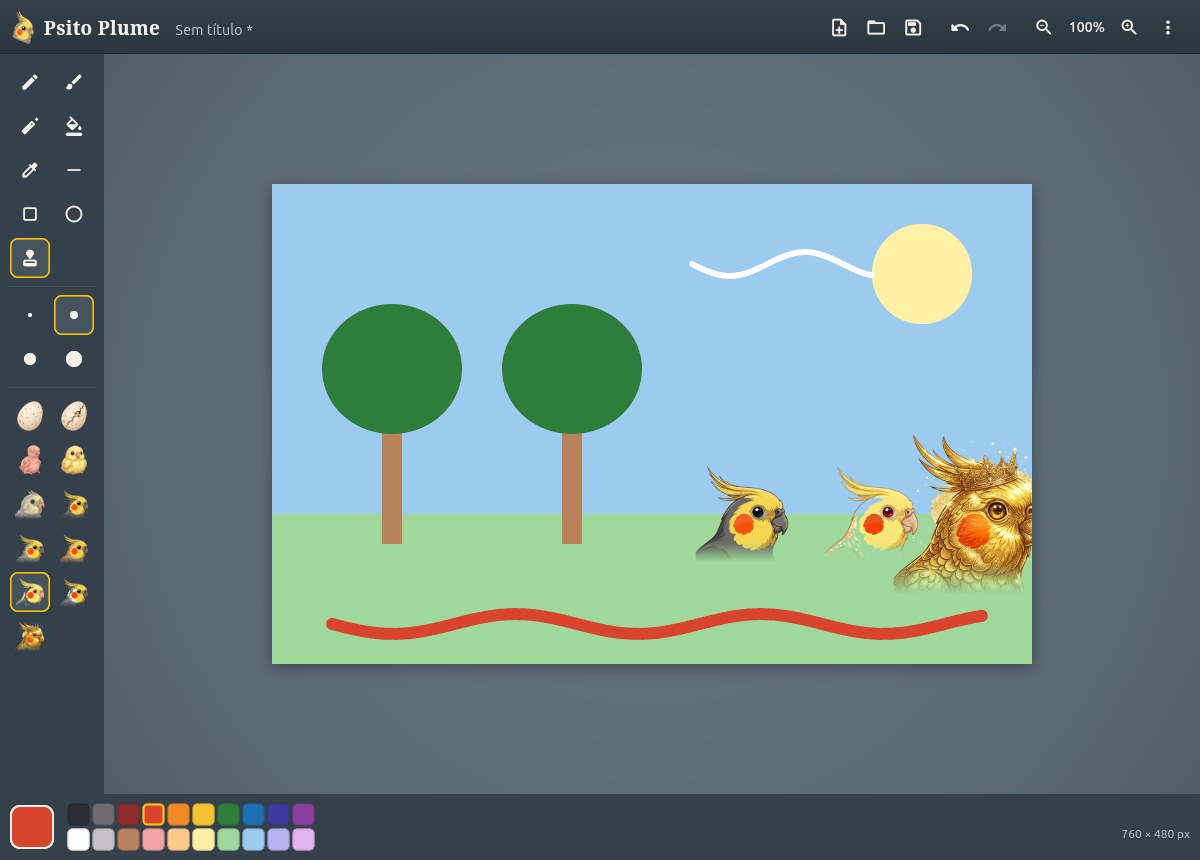
The program follows your system's language, in English or Portuguese.
What it does
- Pencil, brush, eraser, paint bucket, colour picker, line, rectangle and ellipse
- Stamps with the eleven cockatiels of Psito Nest
- A palette of twenty colours, and any other one by its code
- Undo and redo as much as you like, and zoom up to 800%
- A curious cockatiel that peeks at the sheet when you stop to think
- Works offline. It sends nothing anywhere
Install
Windows
On Windows 10 (1809 or newer) or Windows 11, on x64. It doesn't ask for administrator rights.
SmartScreen may warn about an unknown publisher, because the installer isn't signed with a paid certificate. Choose More info, then Run anyway.
Debian, Ubuntu, Mint
On Debian 13, Ubuntu 24.04, Mint 22 or newer, on amd64. It updates along with the system.
sudo mkdir -p /etc/apt/keyrings
curl -fsSL https://francisceioseph.github.io/psito-plume/psito-plume.asc | sudo tee /etc/apt/keyrings/psito-plume.asc >/dev/null
printf 'Types: deb\nURIs: https://francisceioseph.github.io/psito-plume\nSuites: stable\nComponents: main\nArchitectures: amd64\nSigned-By: /etc/apt/keyrings/psito-plume.asc\n' | sudo tee /etc/apt/sources.list.d/psito-plume.sources >/dev/null
sudo apt update
sudo apt install psito-plume
To remove it, and the repository
sudo apt remove psito-plume
sudo rm /etc/apt/sources.list.d/psito-plume.sources /etc/apt/keyrings/psito-plume.asc
Fedora
On x86_64. It updates along with the system. The first install asks you to accept the signing key.
sudo curl -fsSL -o /etc/yum.repos.d/psito-plume.repo https://francisceioseph.github.io/psito-plume/psito-plume.repo
sudo dnf install psito-plume
To remove it, and the repository
sudo dnf remove psito-plume
sudo rm /etc/yum.repos.d/psito-plume.repo
Another system? You can download the package or build from source.